ITSM Helix + iTRACS
A ticket is opened in Helix. It’s executed in the DCiM. It’s closed in both. Without the data center operator ever touching the ticketing tool.
WHAT WE ARE INTEGRATING
Ticket management and synchronization (Work Orders).
INTEGRATED SYSTEMS
Helix - iTRACS
MAIN OUTCOME
The main outcome is an end to duplicate ticket management. The data center operator works only in iTRACS, and status changes (In Progress and Closed) are automatically synchronized with Helix.
Integration context
iTRACS ON PREMISE
Vendo: Commscope
Version: Versión 5.4.5 o posterior
Modules: WSDL
Helix CLOUD
Vendor: BMC Software
Modules: Web Services
The challenge: why was this integration needed?
- Ongoing duplicate management between the ITSM and the DCiM. Without integration, every change ticket in the data center is handled twice: in Helix (where it is opened, assigned and tracked through the ITSM process) and in the DCiM (where placement is planned, the connection is made and the equipment is commissioned). The data center operator has to read the ticket in Helix, mentally transfer the information to the DCiM, carry out the work, go back to Helix to update the status, and finally close it in both places. This double work doesn’t just take time. It also creates inconsistencies: the ticket in Helix says “in progress” when the DCiM has already closed it, or vice versa. With the integration, the operator works only in the DCiM and statuses are propagated automatically.
- Ticket information that is incomplete or unsuitable for physical execution. A commissioning ticket needs very specific data to be executed in a data center: equipment type, manufacturer, model, number of power supplies with their wattage and voltage, PCI cards with type and number of ports, and business line. Without integration, this information reaches the operator in free format (an email, a generic text field), and the operator has to chase the requester to fill in the gaps. The integration standardizes this flow: the ITSM form includes the mandatory fields the DCiM needs, and all that information arrives structured in the DCiM request, ready for planning.
- No visibility of the actual execution status in the ITSM. The IT service manager sees 20 open commissioning tickets in Helix. But they don’t know which ones are planned, which are being physically executed and which are blocked waiting for a free rack. That information lives only in the data center operator’s head or in the DCiM. Bidirectional status synchronization means Helix reflects the operational reality of the data center: if the operator moves the ticket to “In Progress” in the DCiM, Helix shows it instantly. The ITSM is no longer a ticketing system disconnected from real execution.
- Traceability: the ITIL change management process breaks down at the data center door. Organizations invest in implementing ITIL processes with tools such as BMC Helix to ensure traceability, approvals and change control. But when the ticket reaches the data center, the process becomes manual: the operator carries out the work without the ITSM reflecting what was done, when, by whom, and what was documented in the DCiM. The integration extends the ITIL process to the last meter: every status change in the DCiM is automatically synchronized to Helix, and the ticket closure includes the operator’s comment as confirmation that the work was actually completed. It’s a closure backed by operational evidence.
- ITSM Helix currently has no native connector with iTRACS. This limitation prevents an automated communication flow between the two environments. Certain tasks must be performed manually and twice, and information must be kept synchronized in both. As a result, the operational workload increases, as does the risk of inconsistent or outdated information between systems.

The systems in the ecosystem
SYSTEM | DESCRIPTION | CONTRIBUTES | RECEIVES |
ITSM Helix | ITSM platform used to manage and log tickets/Work Orders. | Generates Work Orders/Tickets and provides the information associated with the request. Creating a request in Helix triggers its transfer to iTRACS for processing. | Receives the ticket’s progress from iTRACS, mainly status changes, keeping the Work Order status in sync across both systems. |
iTRACS | Data center infrastructure management (DCiM) platform. | Receives Work Orders from Helix and manages them from this platform. | Receives the requests and the information needed to process them, and returns to Helix the status changes generated during processing. |
The connection diagram
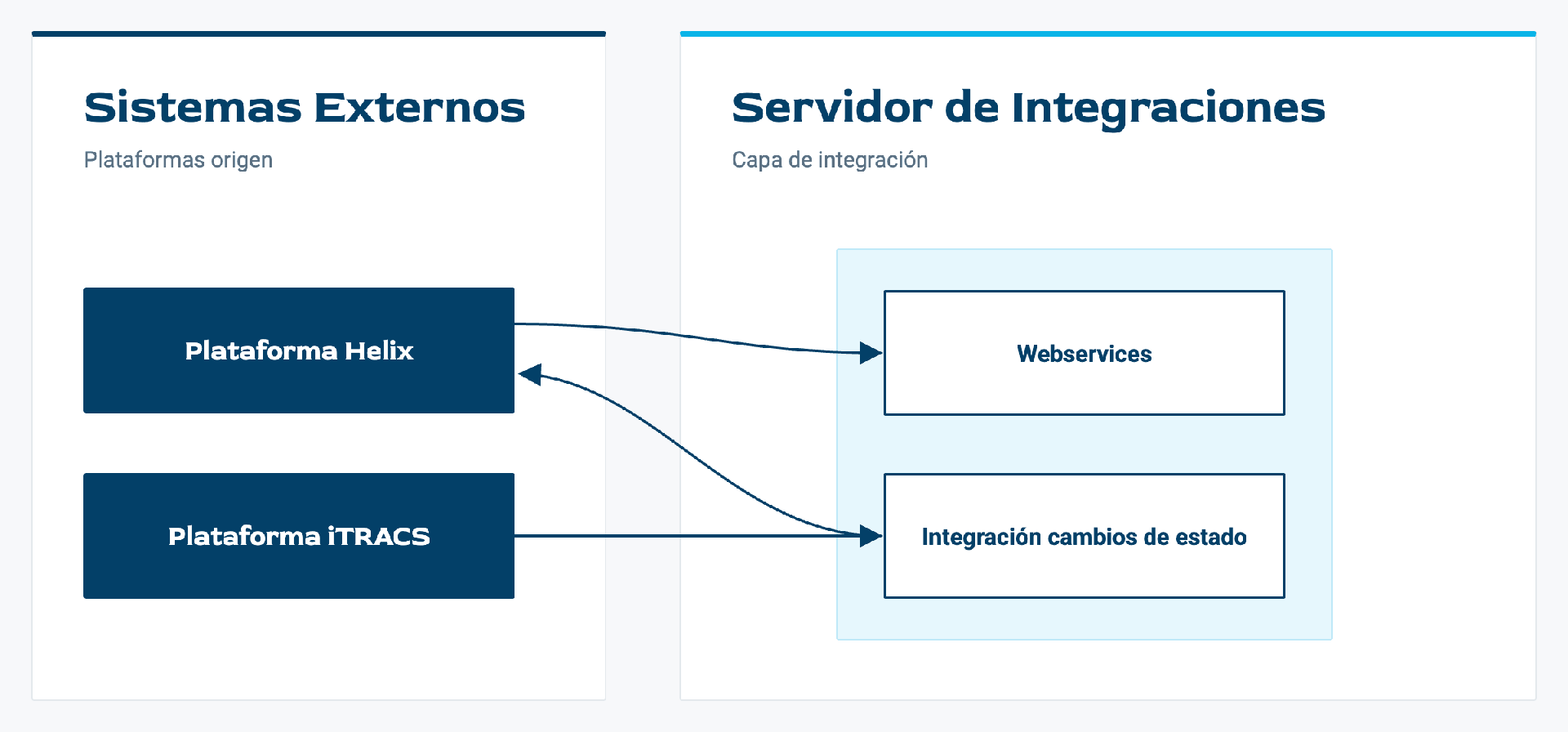
The architecture consists of two external systems (Helix and iTRACS) and an integration server. This server contains, on one hand, the Web Services that receive information from Helix and, on the other, an application that synchronously communicates the status changes made in iTRACS to Helix.
Data flow in action
The workflow of a request in iTRACS is described below:
The integration process starts in Helix, where a new request is opened to carry out a task in iTRACS.
The request appears in iTRACS in the Manager window (Workflow -> Manager).
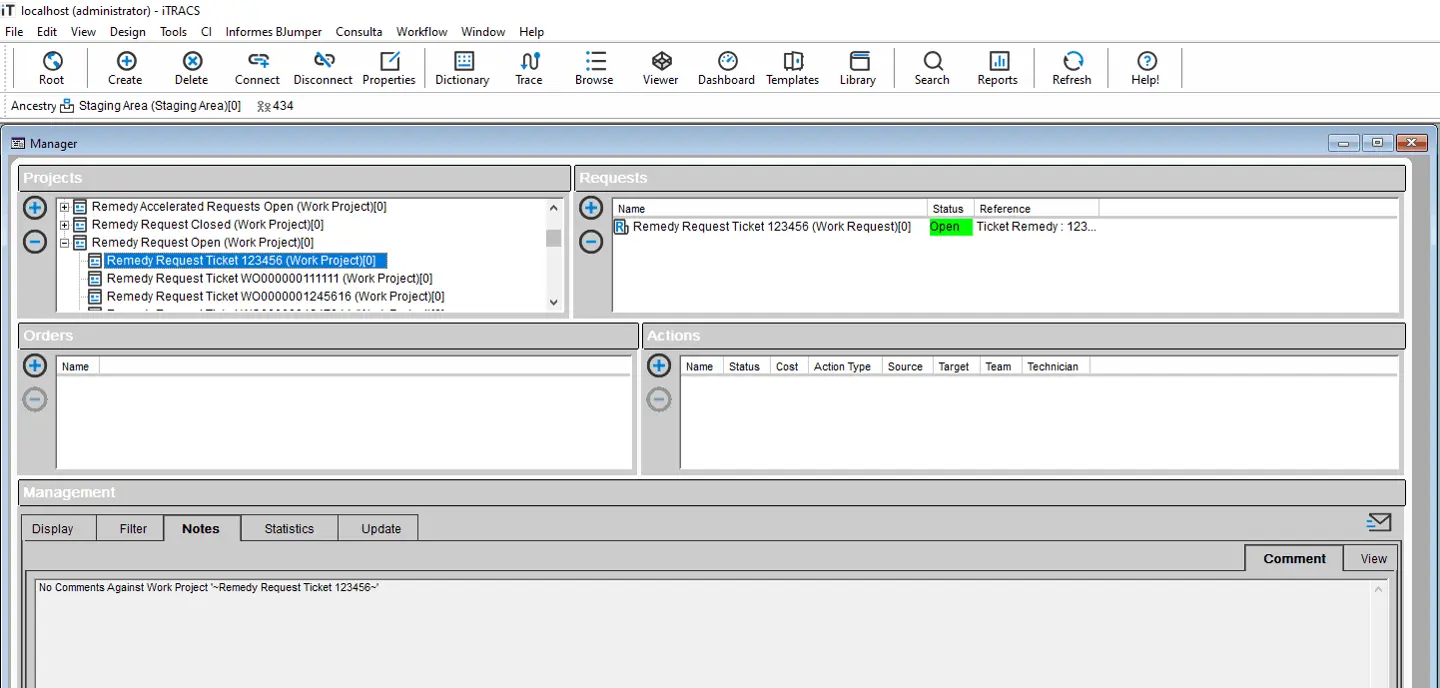
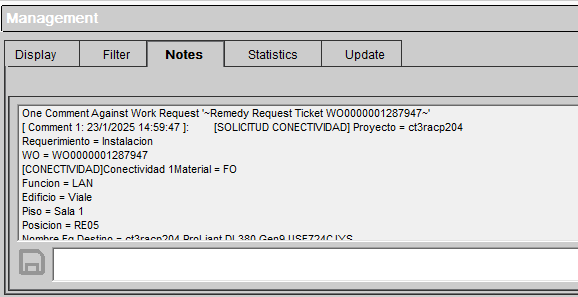
Projects with new Helix Requests are created under the root project “Remedy Requests”. They are named “Remedy Request Ticket XXXX”, where XXXX is the Helix ticket ID. Each project contains a Request with the same name.
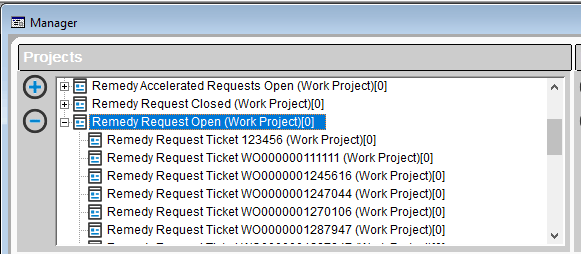
With the Request selected, we can check the information associated with the request in the Notes tab.
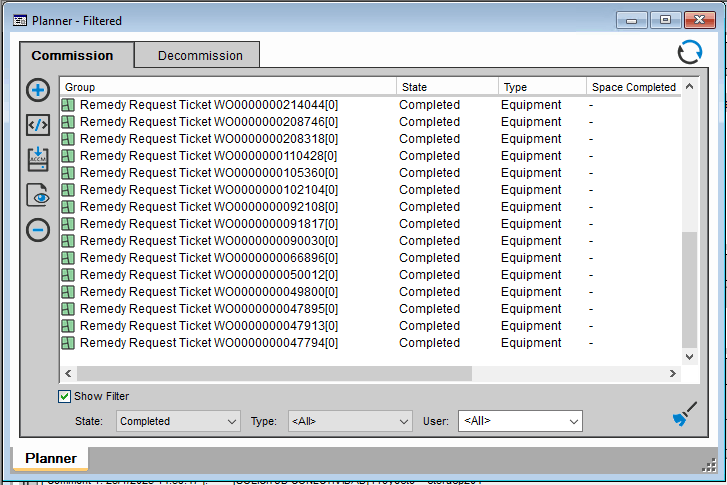
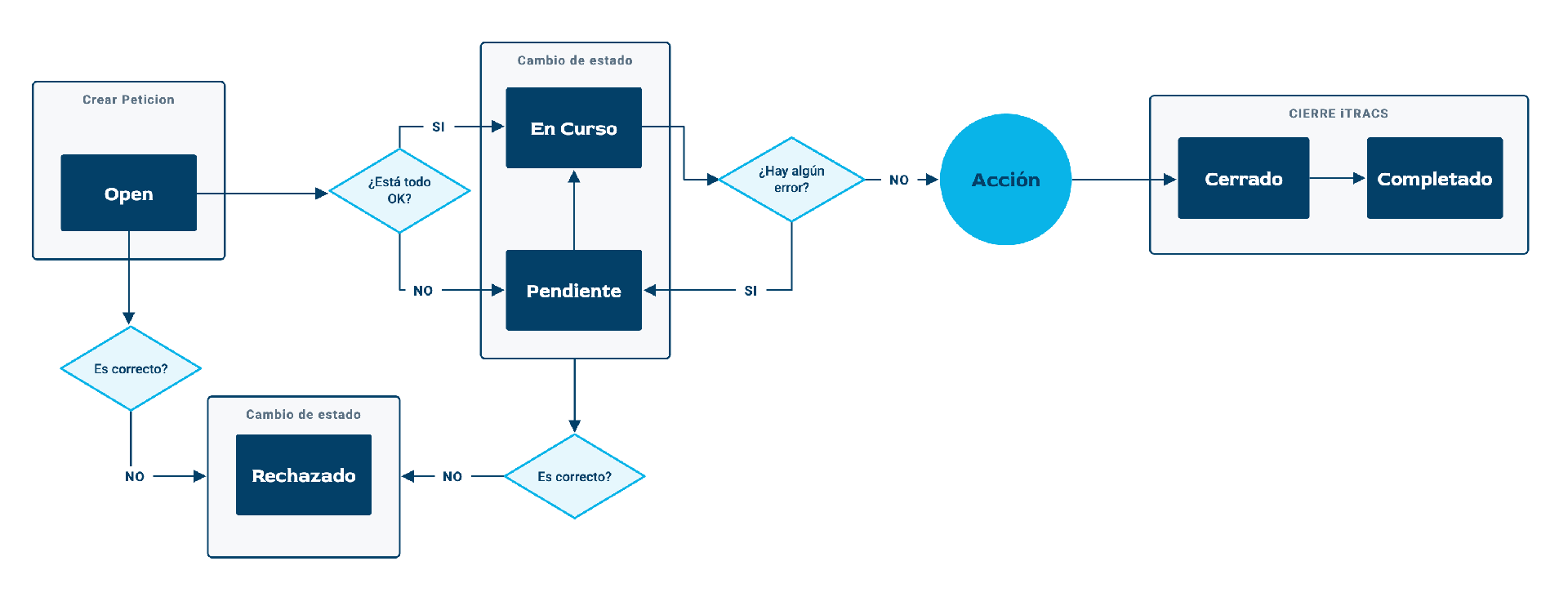
The user must confirm the start of the actions requested in Helix by changing the status to “In Progress”. In iTRACS, this corresponds to the “Planned” status.
 This status change invokes the integration agent, which communicates the change to Helix.
Once the status has been communicated to Helix, the Reference field in iTRACS will reflect the change by adding ONGOING STATUS OK after the ticket ID.
If there is a communication error with Helix, the status will change to “Flagged”, and the Remedy sync status “Status ONGOING ERROR” will be added to the “Reference” field.
To relaunch the sync process, manually change the status back to Planned.
iTRACS makes 3 communication attempts before leaving the process in ONGOING ERROR status. So, a few minutes after the status changes to Flagged, it may automatically switch back to Planned and ONGOING OK.
After a few minutes, we will check that the status has also been updated in Helix by looking at the Reference field, which should show “Status CLOSED OK”.
If there is a sync error with Helix, the iTRACS status will change to Flagged and the Reference field will show “Status CLOSED ERROR”.
As before, iTRACS will make 3 sync attempts. If it still fails to communicate successfully with Helix, it will leave the status as “Flagged”, with Status CLOSED ERROR in the Reference field. To retry the sync, manually change the status back to “Closed”.
MODEL & EXECUTION
Event-driven, to synchronize status changes.
TRIGGER
Creation of Work Orders and events linked to status changes in iTRACS.
What made the difference
Design decisions that weren’t the obvious ones, and why we made them.
Key decision 1: Event-based synchronization
We chose an event-driven synchronization model to propagate status changes from iTRACS to Helix. Status changes in iTRACS Work Orders generate events that automatically trigger the integration component and the corresponding ticket update in Helix.
This approach keeps both platforms synchronized in real time, minimizes periodic polling and ensures greater consistency between the operational status of the Work Order in iTRACS and its representation in the ITSM system.
Is your technology ecosystem ready to connect?
Tell us which systems you have and which ones you need to talk to each other.